Pro Tips
Compare AI campaign builders for nonprofit voice, SMS, and email outreach. See which tools write content, build workflows, and handle follow-up.

Jesse Wisnewski
CEO & Founder
Published
Read Time
8 min read

You have a fundraising campaign to launch, and the idea is clear. You want to invite alumni to an event, thank first-time donors, or reconnect with people who have not responded.
Your small team can write the first email. But who will build the rest of the campaign and respond when people reply?
An AI campaign builder can help. But different tools do different jobs. Some write messages and create designs. Some set up email and text campaigns. Others help plan calls, texts, emails, and follow-up by staff.
The best tool is the one that gets your work done, not the one with the flashiest AI features.
If you want to reach supporters by phone, text, and email, ask five questions:
What can the tool send?
What does the AI create?
What must your team approve?
What happens when someone replies?
And when does a staff member take over?
Those answers tell you more than a list of ‘best AI’ tools.
In this post, I’m going to cover:
What an AI campaign builder should do besides write messages
Five real tools and which jobs they suit
How to compare calls, texts, emails, and staff follow-up
One practical test to run before committing to software
What to measure after you launch
What makes an AI campaign builder useful?
An AI campaign builder takes a goal and a few details, then creates messages or steps to help you run a campaign. A basic tool may only write an email.
A more complete tool can help you choose whom to contact, plan when and how to reach them, stop messages when needed, assign follow-up, and track results.
That difference matters if you already have a donor database. Writing an email helps. But it does not alert your team when an alum asks to speak with someone.
Start by asking what your team needs most: help writing messages, sending them, managing replies, or keeping in touch with supporters.
Five AI campaign builders worth comparing
Not all AI campaign builders do the same job. Some help write messages. Others help send them, manage replies, or build a full outreach campaign.
The five tools below serve different needs, so compare them based on the work you want to get done.
These descriptions come from each provider’s published product information, not hands-on testing. Features and prices can change. Ask each company for a live demonstration.
1. HubSpot Campaign Assistant: a tool for writing marketing copy
HubSpot Campaign Assistant helps write marketing messages based on your goal and organization. It can help when you need a first draft and already have a way to review and send your messages.
Best for: Teams that want help writing campaign copy.
Watch for: Writing a message is not the same as running a campaign. Ask which tasks need paid HubSpot tools and how you would handle calls, donor replies, and staff follow-up.

HubSpot Campaign Assistant product page • Source: HubSpot
2. ActiveCampaign: AI help with email and follow-up
ActiveCampaign’s AI Campaign Builder can build draft email campaigns from a prompt. You can edit the words, layout, images, and buttons. ActiveCampaign also offers a tool to plan email and text follow-up.
Best for: Teams that run most campaigns through email and text.
Watch for: Ask which features and message limits come with your plan. Do not assume its AI campaign builder includes nonprofit voice calls. Ask for a demonstration if that matters to your team.

ActiveCampaign AI Campaign Builder product page • Source: ActiveCampaign
3. GetResponse: AI help with landing pages and emails
GetResponse’s AI Campaign Generator creates a landing page, welcome email, and newsletter from details you provide.
GetResponse says you need a paid plan. It also sells text-message and follow-up tools. That does not mean one plan includes voice, text, and email together.
Best for: Teams that need landing pages and email campaigns.
Watch for: Ask how it connects to donor records and what happens after someone signs up or replies. A landing page alone does not handle donor follow-up.
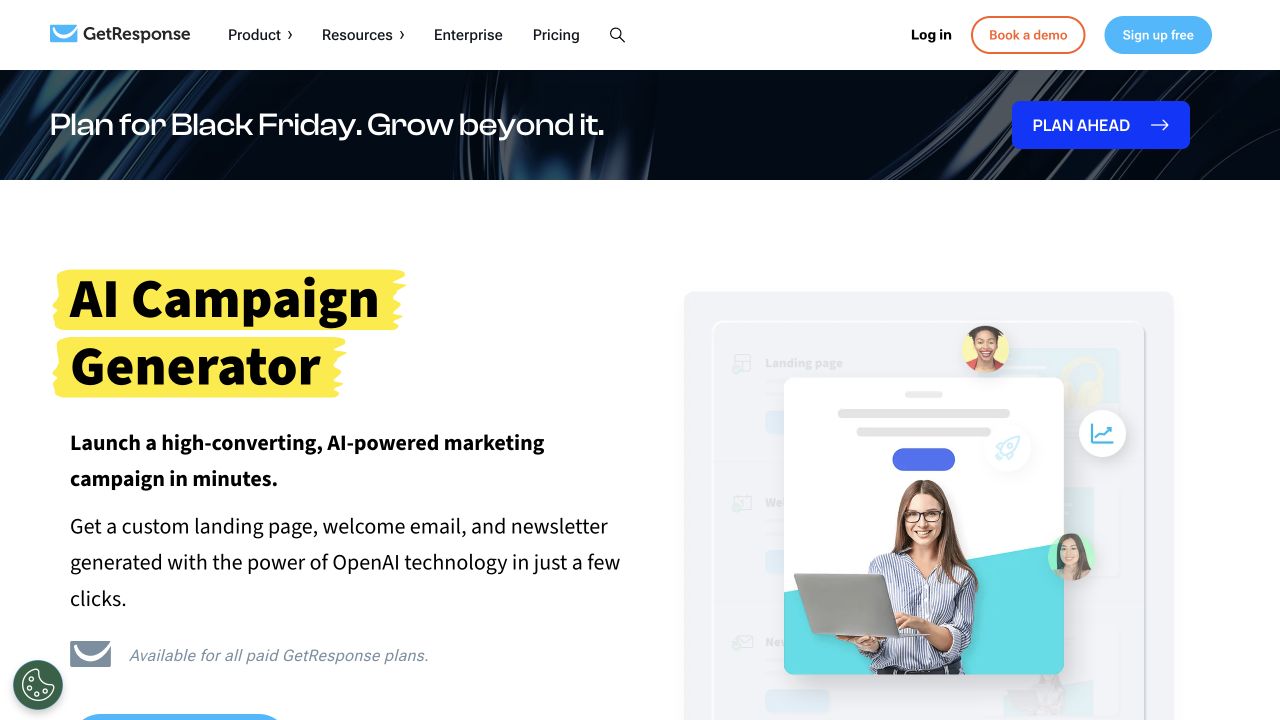
GetResponse AI Campaign Generator product page • Source: GetResponse
4. Twilio Studio: custom call and text campaigns for technical teams
Twilio Studio lets you build call, text, reminder, and survey steps by moving blocks around a screen.
You can drag and drop steps, but you may still need code and setup work. It is not a one-prompt tool for complete nonprofit campaigns.
Best for: Teams with technical support that want to build their own call and text workflows.
Watch for: Someone must set up, manage, and test the system. Count the full cost of calls, texts, setup, support, and legal review.

Twilio Studio product page • Source: Twilio
5. EverRaise: voice, text, and email outreach for supporter relationships
EverRaise’s Campaign Builder helps nonprofits, universities, and other teams that depend on strong relationships. These teams often know whom they want to reach but lack the time to follow up.
The product page shows how a simple prompt can help build drafts for voice calls, texts, emails, and next steps. The engagement page explains how these channels work together and when staff take over.
Best for: Nonprofits and universities that want to reach supporters by voice, text, and email, then follow up.
Watch for: EverRaise does not replace your donor database or fundraising staff. Ask which features are live, how people can opt out, and how results get back into your records.

EverRaise Campaign Builder product page • Source: EverRaise
There is no single winner for every team. Choose the tool that helps you start the right conversation and follow through afterward.
How should you compare tools for calls, texts, and emails?
The best comparison starts with a real campaign, not a list of features. Ask every provider to show how its tool would run the same outreach campaign, from the first draft through staff follow-up.
Look closely at the steps that matter most: sending the messages, respecting contact preferences, handling replies, and notifying your team.
A polished email preview means little if a donor’s request to speak with someone goes unanswered.
Use this five-part checklist to compare providers
Use this quick scorecard during each demo. Mark each area as fully covered, partly covered, or missing.
Focus on what the tool can show you, not what the sales page promises.
What to check | Question to ask in the demo |
|---|---|
Campaign setup | Can you describe your goal in plain words, edit the messages, and check the facts? |
Channels | Can it send email, text, and AI voice calls, or does it only write drafts? What costs extra? |
Permission and review | Can staff check consent, stop outreach, approve timing, and review any AI voice notices? |
Staff follow-up | If someone asks to speak with a person, does the request go to a named team member? |
Results and cost | Can you see who replied, what happened next, and the full cost? |
A tool that does one job very well may be enough. Just do not assume it does all five without seeing a demo.
A simple nonprofit test before you buy
Picture a local nonprofit with 100 past event guests who signed up for updates. The team wants to invite them to a new event and follow up with anyone interested in volunteering.
Start with this small group, not your entire donor list. This is a sample campaign, not a result from an EverRaise customer.
Sample campaign brief:
“Invite supporters who signed up for updates to our December event. Use our approved event details and writing style. Draft an email and a short reminder text for people we have permission to contact. Alert our volunteer leader when someone wants to help. Stop reminders when someone registers or opts out. Show how you track the results.”
Before sending anything, check the basics:
Are the event details right?
Did the tool make up any facts?
Can you leave out people without permission?
Does a request to talk with staff reach the right person?
If a tool cannot show those steps, “launch in minutes” may only mean “write a draft in minutes.”
A real university shows why follow-up matters. In a CASE account of Kent State University’s Alumni Engagement Center, Kent State explains how it changed its phone center from making mostly gift requests to building stronger ties through calls and other channels.
The lesson is not to copy Kent State’s tools. It is to focus on why you are reaching out and what happens when an alum responds.
What rules and limits should you plan for?
A phone number in your donor database does not give you permission to call or text someone in every way. AI calls and automated texts have rules about consent, notice, privacy, and requests to stop.
The rules depend on what you send and how you send it. Ask a lawyer to review your campaign. A vendor saying its tool is “compliant” is not enough.
People should handle sensitive donor questions, large gifts, payment problems, and replies the system cannot understand.
For more on calling, see our AI outbound calling guide. For examples of donor messages, see our donor thank-you call guidance.
Also find out what is missing. A writing tool may not take donations. A calling tool may not store donor records. A marketing tool may charge more for texts.
Do not buy based on what you think it can do. Make the company show you.
What does success look like after a small test?
Measure outcomes, not how many messages the AI wrote. Track:
People you had permission to contact and messages delivered
Replies, event sign-ups, and volunteer interest
Requests for staff contact and completed follow-up
Opt-outs and staff time used
To judge donor retention and giving, compare results over time. One strong week is not enough.
Your people are not the inefficiency in the system. They are the point. A good AI campaign builder helps your team reach more people and step in when someone wants to talk.
If you want to try calls, texts, and emails with your existing supporter list, book an EverRaise demonstration and bring the same example you gave other companies.
Ask to see what the tool writes, what staff approve, and what happens when someone replies.


